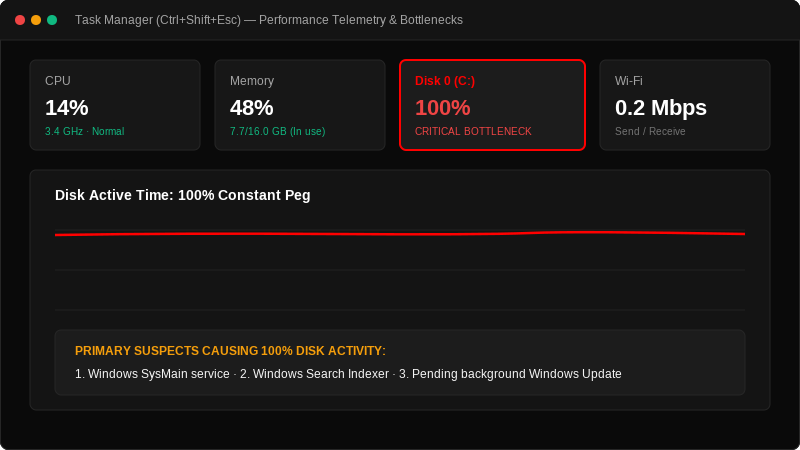
PerformanceWindows 11
Windows 11 Running Slow — How to Diagnose It
A slow PC is usually caused by one hardware resource hitting 100%. Task Manager reveals the culprit in seconds.
Diagnostic tools
Zero installations. Validates audio level meters, stereo phase, and device drivers in real time.
Practical troubleshooting guides for common PC problems. Diagnosed directly from hardware and drivers.
Problem Categories
Latest guides
View all →A slow PC is usually caused by one hardware resource hitting 100%. Task Manager reveals the culprit in seconds.
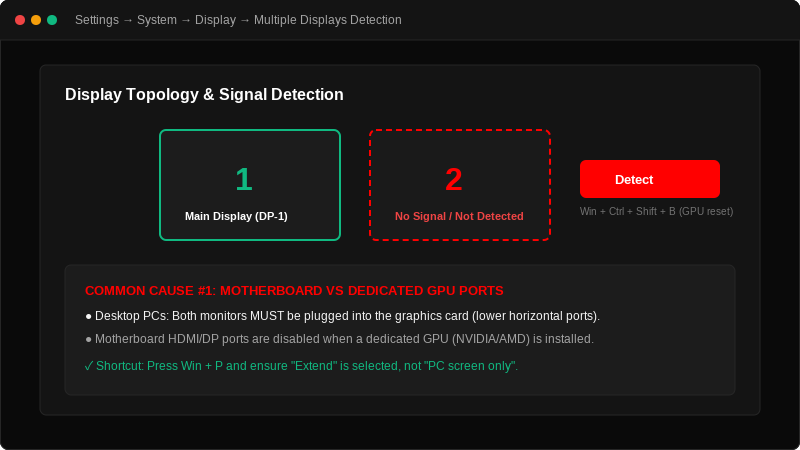
Windows not picking up your second monitor? Start with dedicated GPU port routing and display reset shortcuts before touching complex settings.
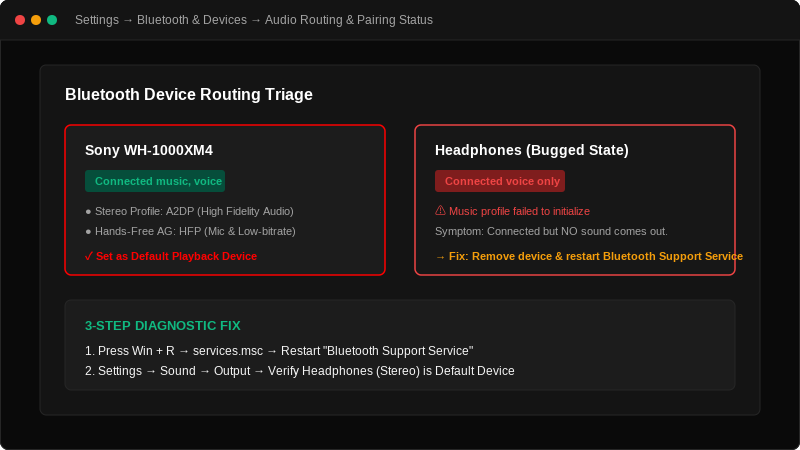
Bluetooth won't pair, or paired but no audio? Learn how to fix endpoint profile mismatches and restart the Bluetooth Support Service.
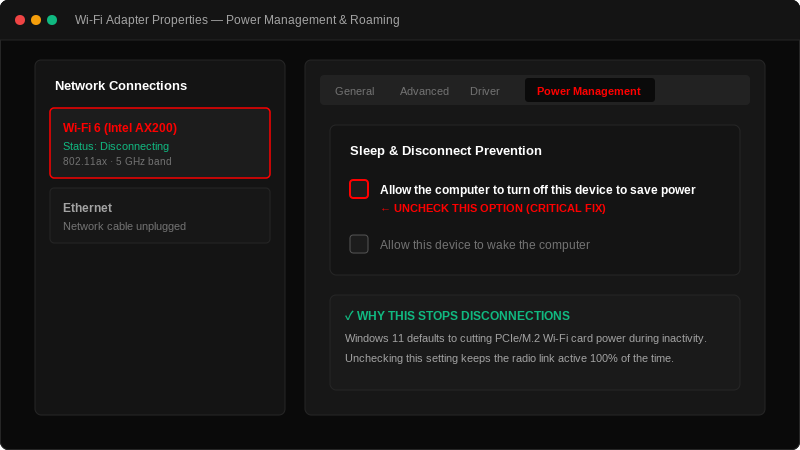
If your Wi-Fi keeps dropping every few minutes, adapter sleep states and roaming aggressiveness are usually the cause. Here's how to fix it permanently.
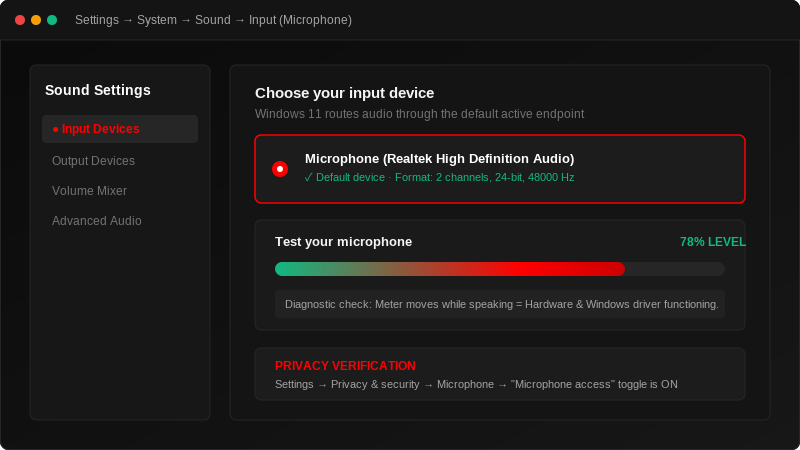
Windows isn't picking up your microphone? Start by checking whether Windows detects the device — that single check splits the diagnosis into two clear paths.
Diagnostic tools
Zero installations. Validates audio level meters, stereo phase, and device drivers in real time.